Coming soon · iOS and Android

The maintenance due date of your equipment, at a glance.

Elevators, machines, vending machines, fire extinguishers… servora.app tells you which equipment is due for a check and when. No sign-up, no account, no clutter.
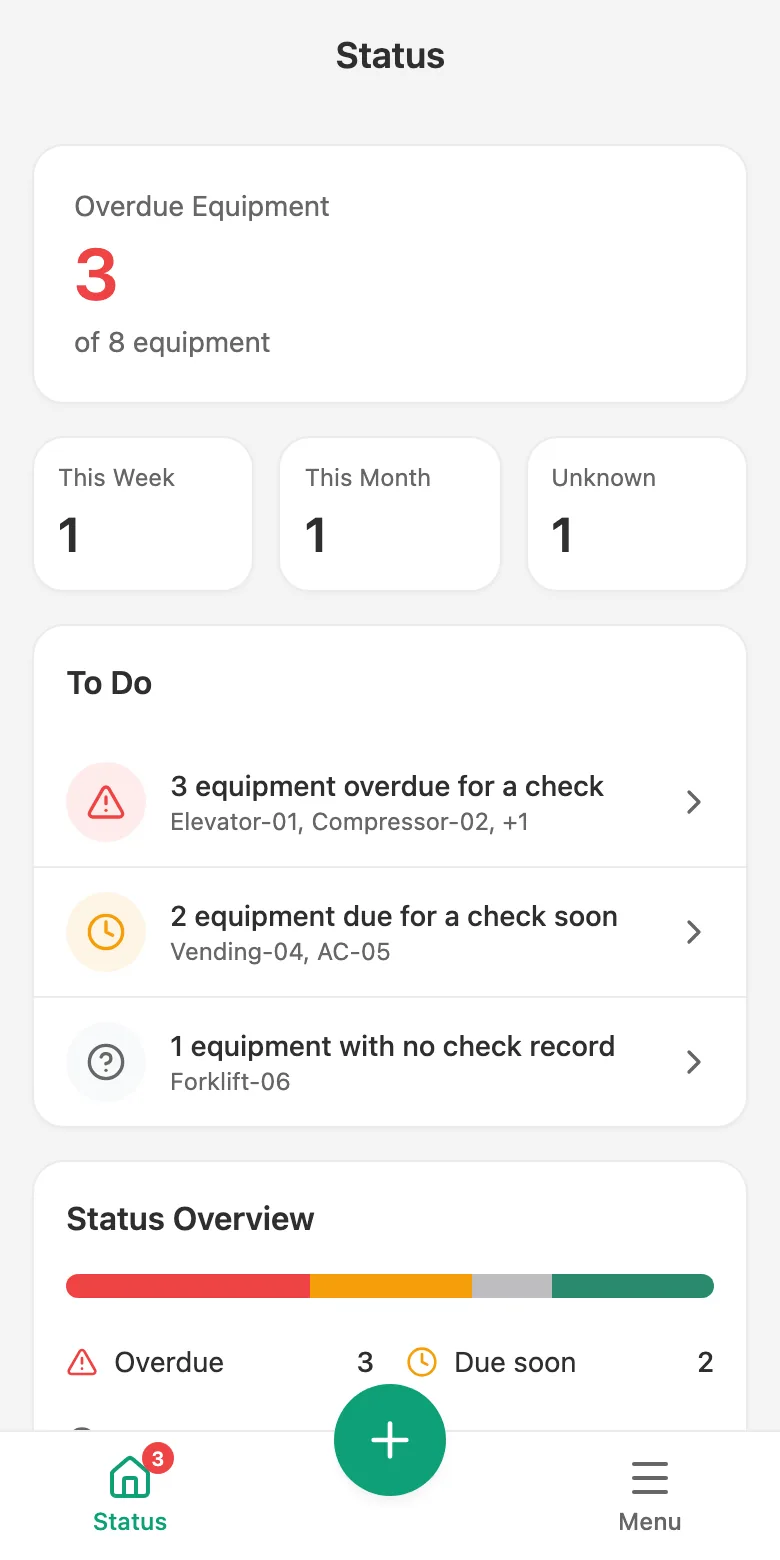
Status screen: overdue equipment count, summary strip and to-do list

No account

No sign-up, login or password. Open the app and add your equipment.

Device first

Your data stays on your device; it works without internet too.

Fast with barcodes

Scan the barcode you stuck on the equipment and its page opens.

How it works

Maintenance tracking in three steps.

See what is due, start the check, and let the app work out the next due date.
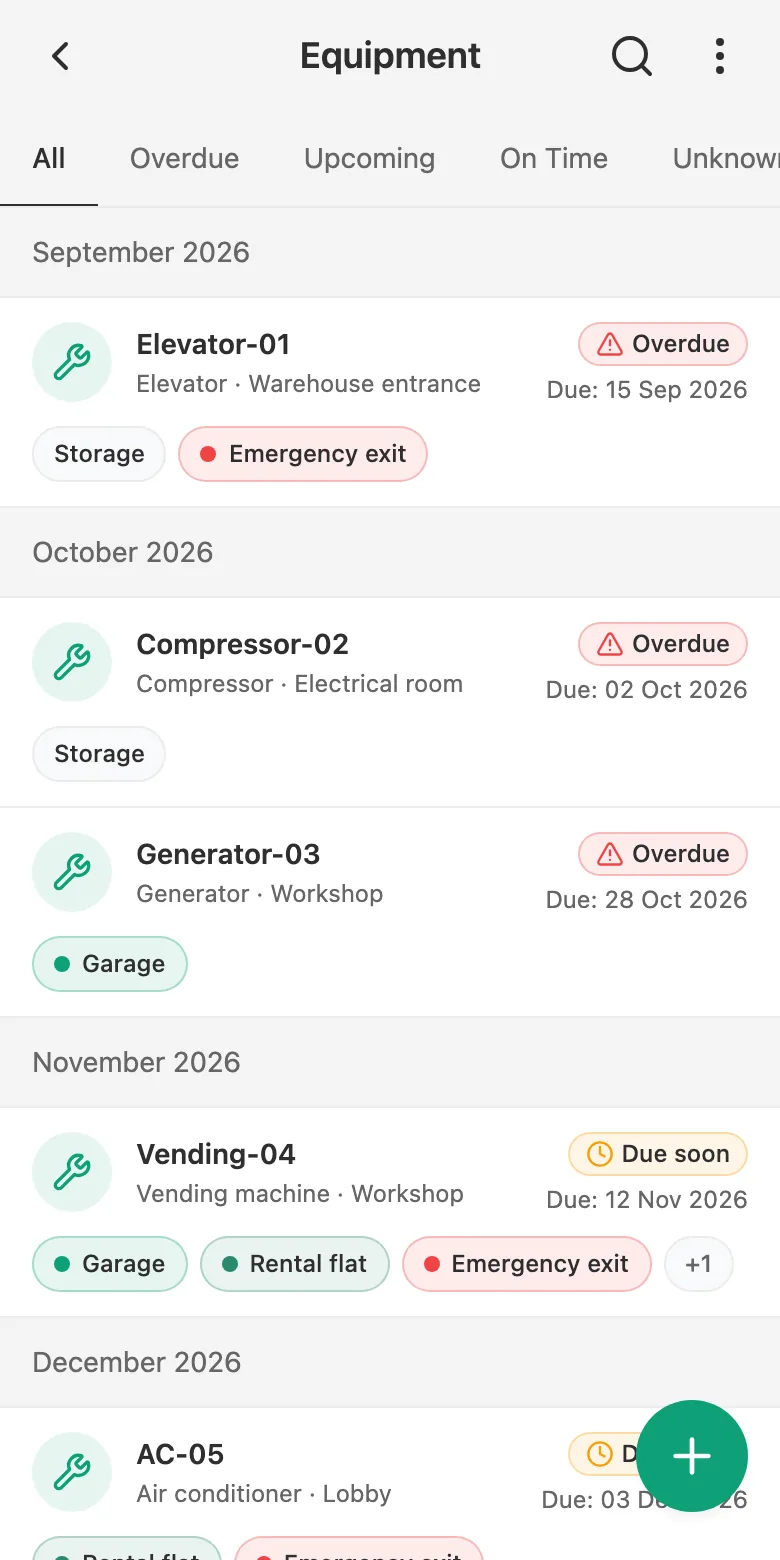
  1. Equipment list: equipment grouped by due month, with status badges
    1

    See which equipment is due

    Equipment is lined up by due month; status badges show what is urgent. Tap a card and the related list opens already filtered.
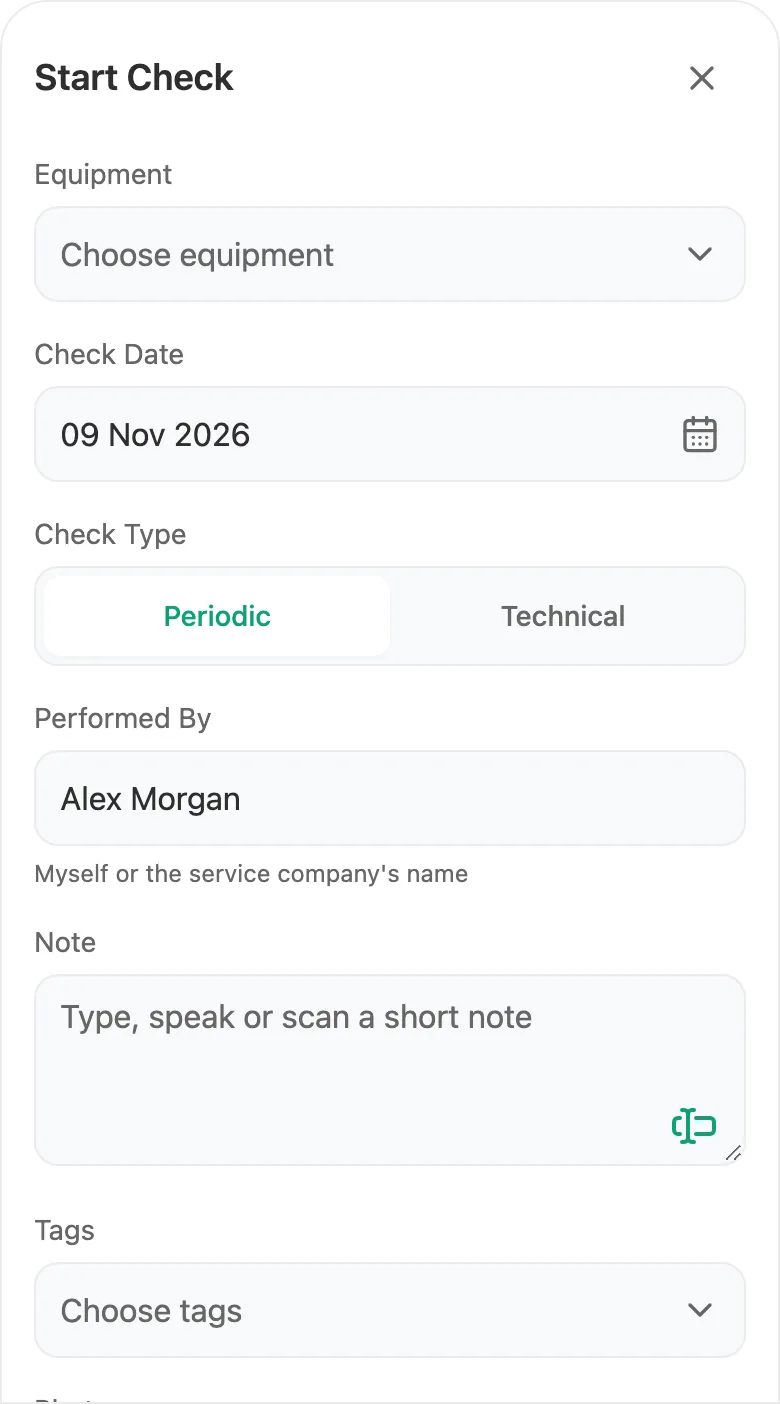
  2. Start Check sheet: equipment, date, check type and note fields
    2

    Start the check

    Tap Start Check on the equipment page. The date and the person who performed it come prefilled; add a short note and save.
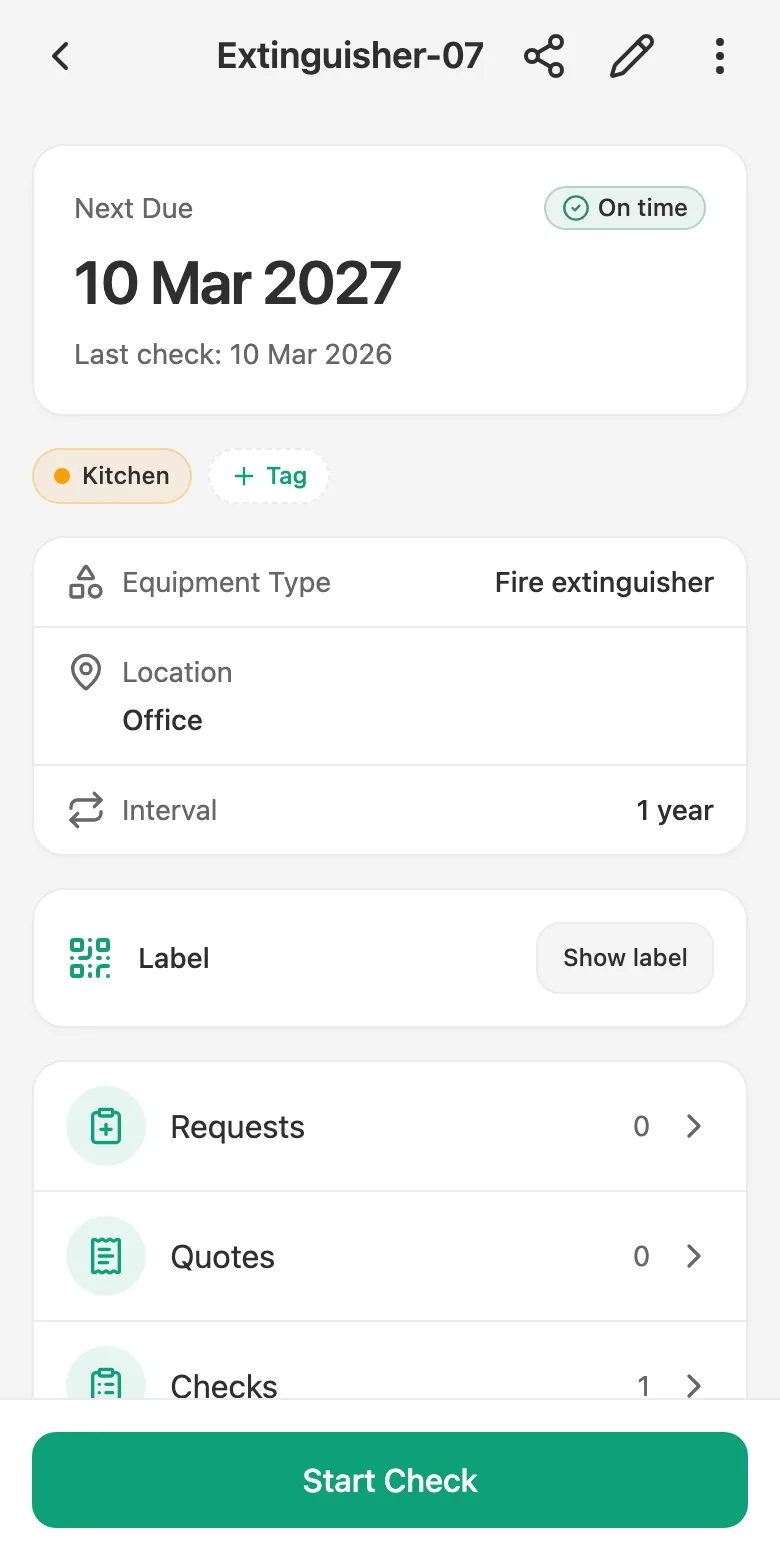
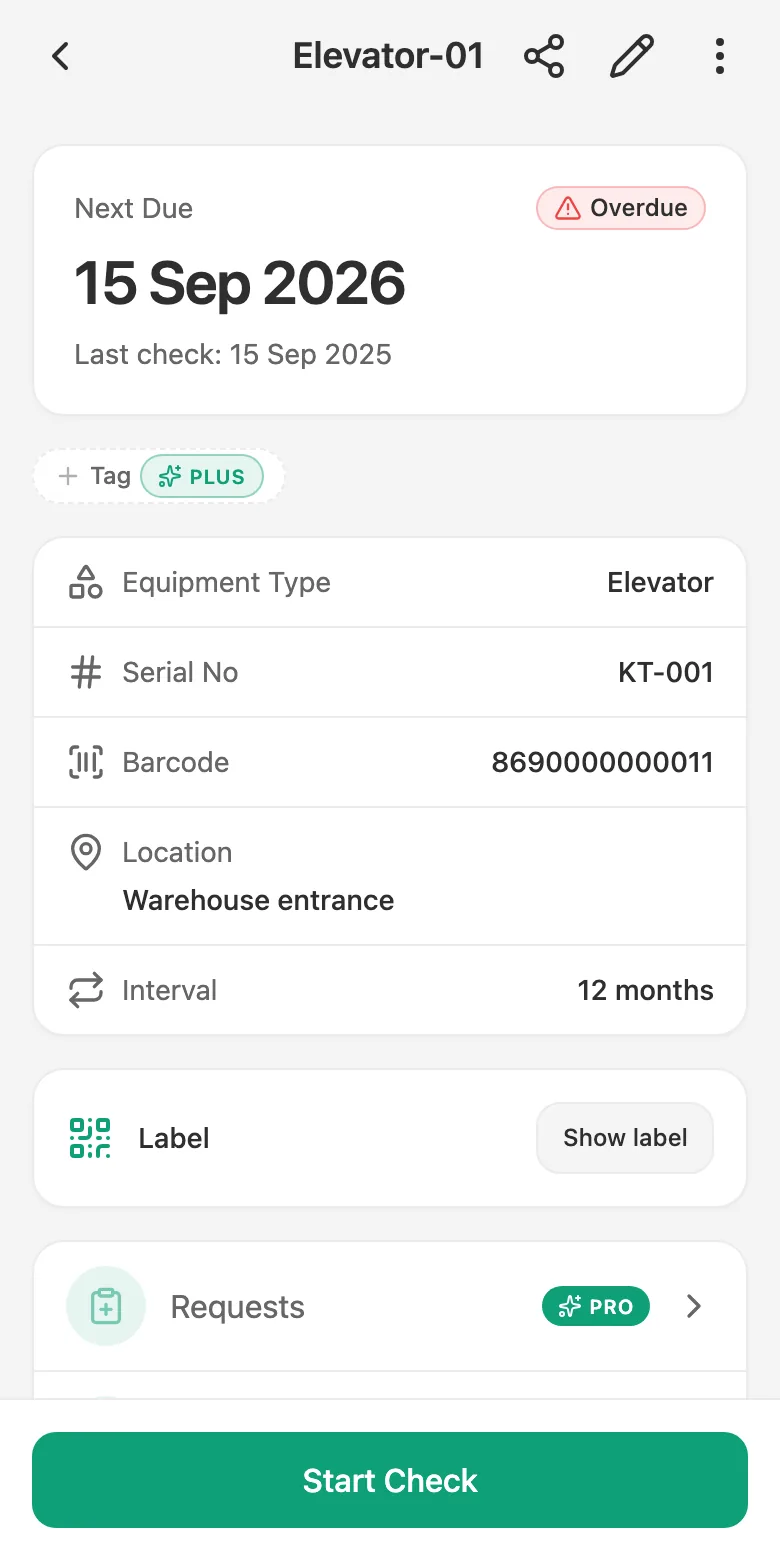
  3. Equipment page: on-time status, next due date and last check date
    3

    The next due date is calculated for you

    Once the record is saved, the next due date follows from the period. No calendar to keep, no dates to work out.

Screens

What you're looking for is a tap away.

No needless menus; the screens you need are one tap away.
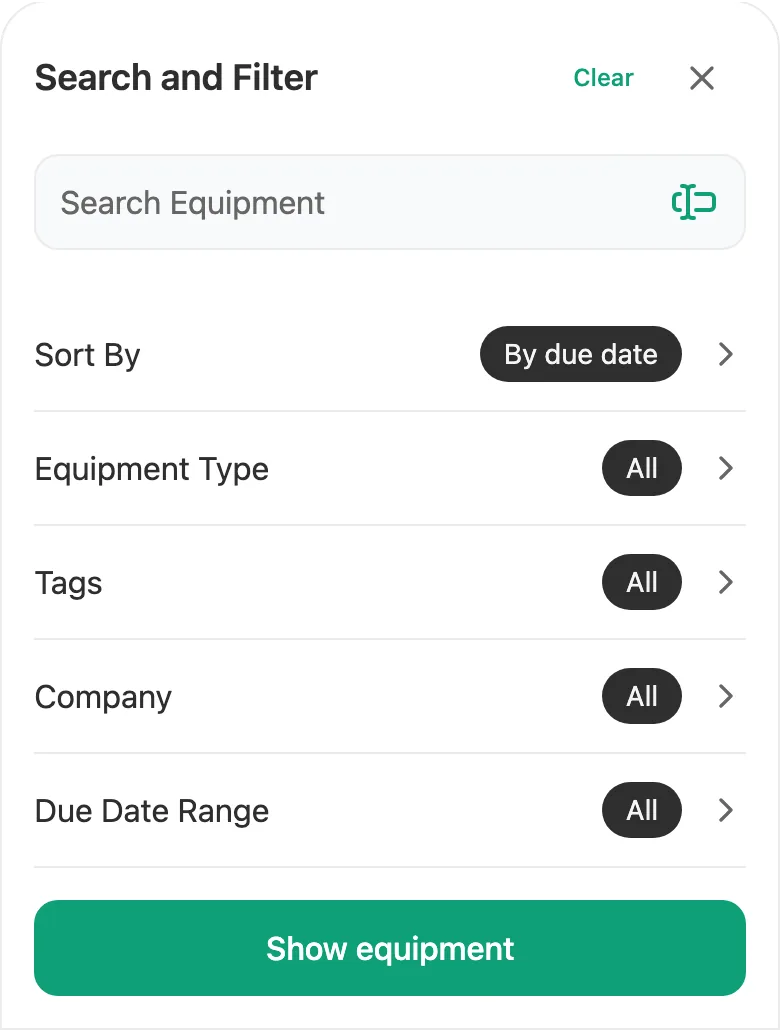
Search and Filter sheet: search box and filter rows

Search and Filter

Search by name, serial number or location; filter by equipment type and due range. Your choices are remembered the next time you open it.
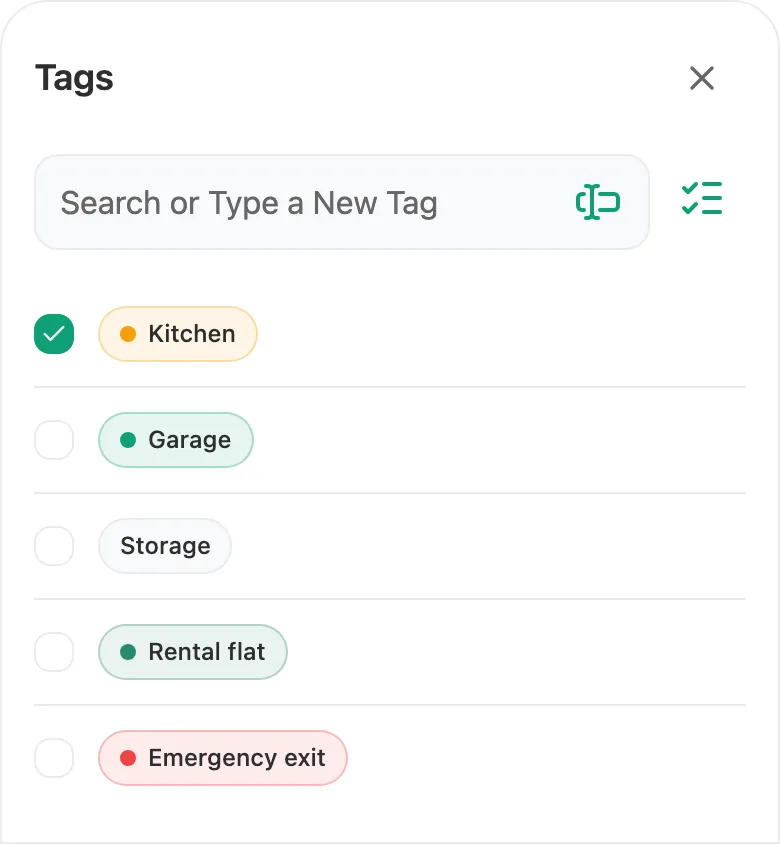
Tag picker sheet: coloured tags with check boxes

Tag Picker Coming soon

Create your own tags; tag equipment and check records, tap a badge and the list filters itself.
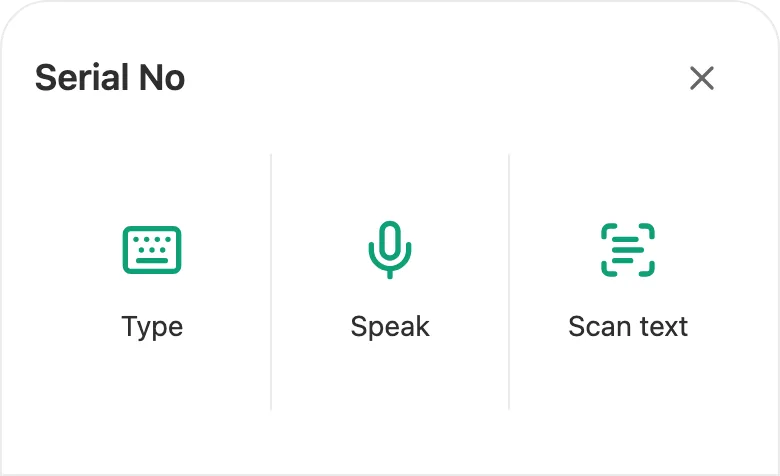
Input methods sheet: type, speak and scan

Input Methods

The single icon beside a field opens the input methods: type, speak or scan. The methods your device supports appear.
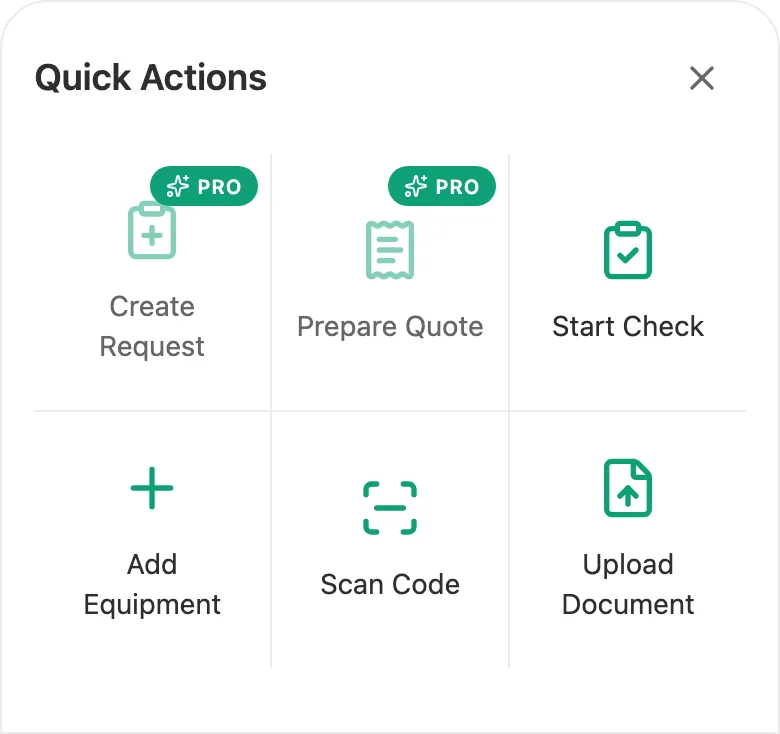
Quick Actions sheet: six actions in two rows

Quick Actions

The (+) button in the middle gathers the things you do often in one grid: start a check, add equipment, scan a barcode…

Plans

As much as you need

Core features run on your device; higher plans add cloud and workflow capabilities.

Basic

The core, running on your device.

  • Equipment and check records
  • Due tracking and Status
  • Barcode generation and scanning

Plus

Coming soon

Connect to the cloud.

  • Cloud backup and multiple devices
  • Tags and documents
  • Sharing with your friends

Pro

Coming soon

Run workflows with your companies.

  • Request → quote → approval workflow
  • Company definitions
  • PDF reports
FAQ

Good to know

What is servora.app?
A simple mobile and web app for tracking the periodic check due dates of your own equipment, such as elevators, machines, vending machines and fire extinguishers.
Do I need to create an account?
No. The app asks for no sign-up, login or password; your data lives on your device first.
Does it work without internet?
Yes. Because your data is kept on your device, you can use your equipment and check records without a network.
How is the next due date calculated?
You set a period for each piece of equipment (days, weeks, months or years). The period is added to the date of the last periodic check; when you log a new check, the next due date updates on its own. You set the period; the app assumes no legal interval.
Which equipment can I track?
Elevators, machines, vending machines, fire extinguishers, generators, air conditioners, boilers, hydrophores, compressors and any similar equipment. The equipment type list is yours; you can add your own types.
When is it coming out?
The app is under development. Once it is published on the App Store and Google Play, the store links will appear on this page.
Equipment Maintenance Tracking

servora.app

See the periodic check due dates of your equipment at a glance; log the check and the next due date is calculated for you.

App Store Coming soon Google Play Coming soon